


Nginx 是一套高性能的 HTTP 與反向代理伺服器,同時也是 IMAP/POP3/SMTP 伺服器。它由俄羅斯工程師 Igor Sysoev 為 Rambler.ru 開發,首個公開版本 0.1.0 於 2004 年 10 月 4 日發布,以類 BSD 許可證開源,因穩定、功能豐富、設定範例齊全與低資源消耗而聞名。
Nginx 佔用記憶體少、併發能力強,在高併發連線下是 Apache 的不錯替代品,也可作為七層負載均衡器。Nginx 0.8.46 + PHP 5.2.14(FastCGI)可承受三萬以上併發,約為同環境 Apache 的十倍。國內京東、新浪、網易、騰訊、淘寶等門戶與多個影片網站都已部署。
Nginx 由核心與模組組成,核心設計微小簡潔,僅透過設定檔把請求映射到某個 location block,再由該 location 中的每個指令啟動不同模組完成工作。模組從結構分為核心、基礎與第三方模組;從功能則分為:
Handlers(處理器模組):直接處理請求並輸出內容、修改 headers,通常只能有一個。
Filters(過濾器模組):修改其他處理器輸出的內容。
Proxies(代理類模組):如 HTTP Upstream。
運作方式分單工作進程與多工作進程兩種,預設為單工作進程。Nginx 模組採靜態編譯,啟動即自動載入,不像 Apache 需先編為 so 再決定是否載入。Nginx 以事件驅動,一個工作線程可回應多個請求,因此適合高併發場景,對靜態內容回應快,但不支援 CGI,多用於 web 前端做反向代理。
[root@server1 ~]# tar zxf nginx-1.10.1.tar.gz
可修改 src/core/nginx.h 去掉版本號以增加安全性。


[root@server1 nginx-1.10.1]# ./configure --prefix=/usr/local/lnmp/nginx \
 --with-http_ssl_module --with-http_stub_status_module
若報缺少 pcre 或 openssl,先安裝:

[root@server1 nginx-1.10.1]# yum install pcre-devel -y

[root@server1 nginx-1.10.1]# yum install openssl-devel -y
[root@server1 nginx-1.10.1]# make && make install
[root@server1 sbin]# ./nginx
[root@server1 sbin]# netstat -antlp

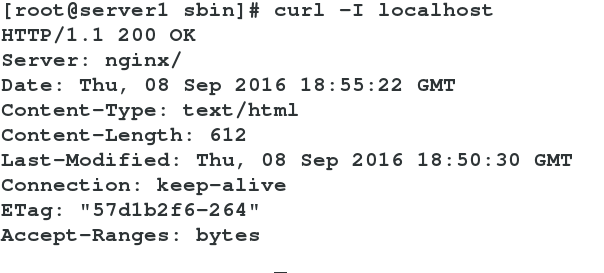
[root@server1 sbin]# curl -I localhost
設定開機自啟並建立軟連結:
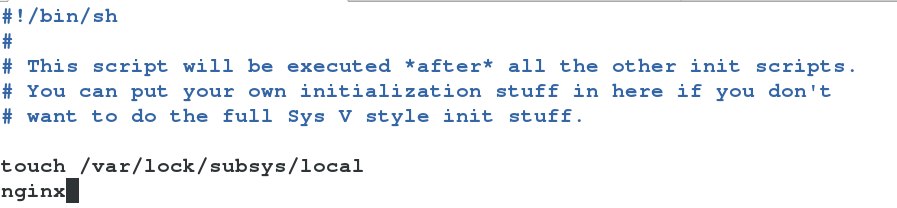
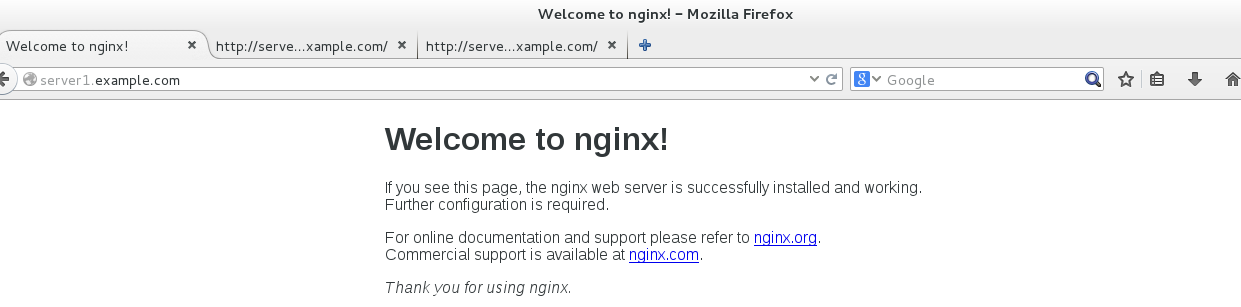
[root@server1~]# ln -s /usr/local/lnmp/nginx/sbin/nginx /usr/local/sbin/
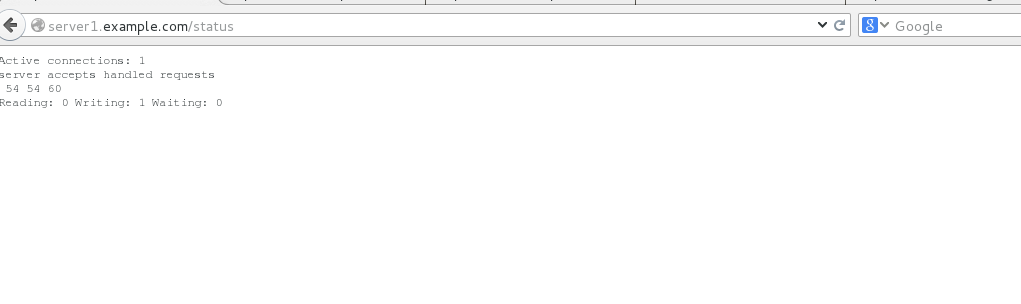
啟用狀態監控模組:
location /status {
 stub_status on;
 access_log off;
}


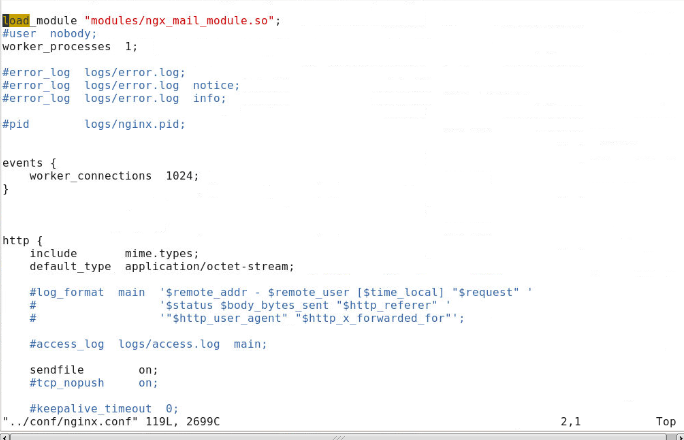
可依 CPU 核心數調整 worker 數量,並以 nginx -t 測試、nginx -s reload 重載:


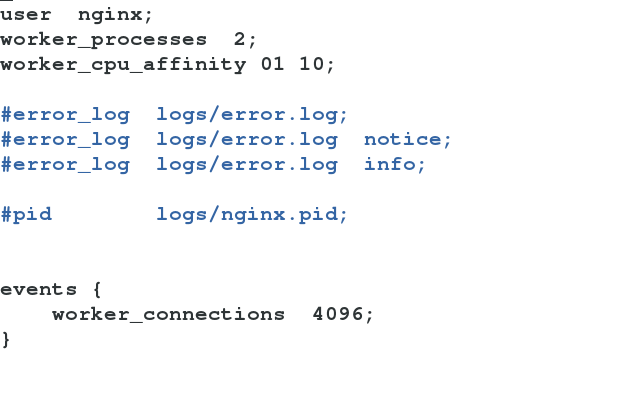
[root@server1~]# nginx -t
[root@server1~]# nginx -s reload
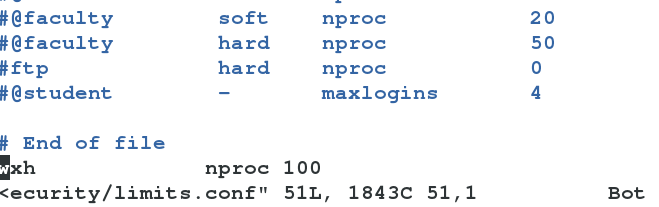
可透過 /etc/security/limits.conf 限制使用者進程數,避免 fork 炸彈(:(){ :|:& };:)占滿記憶體。
server {
 listen 443 ssl;
 server_name server1.example.com;
 ssl_certificate cert.pem;
 ssl_certificate_key cert.pem;
 location / { root html; index index.html index.htm; }
}
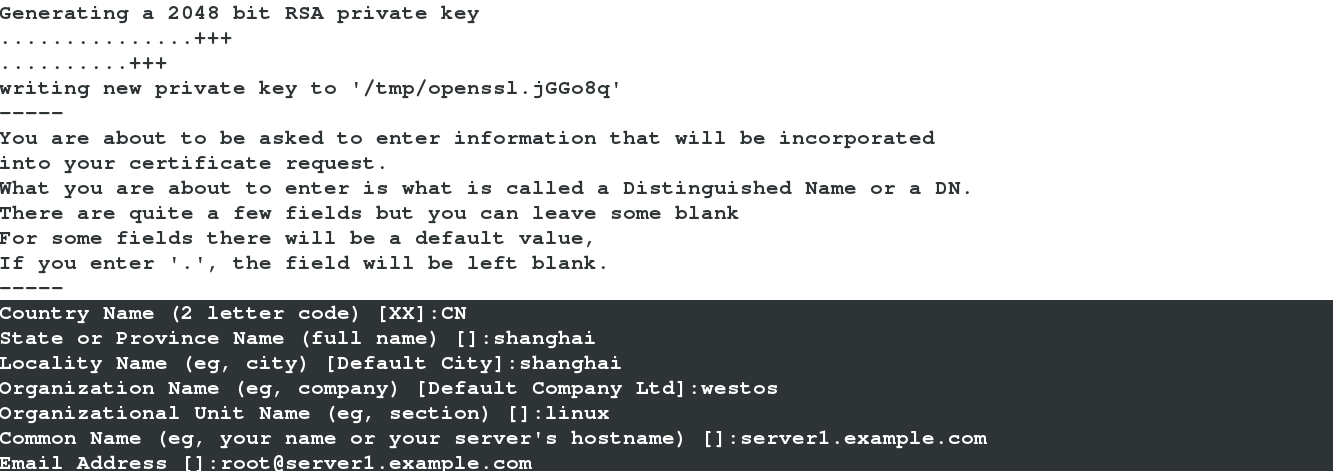
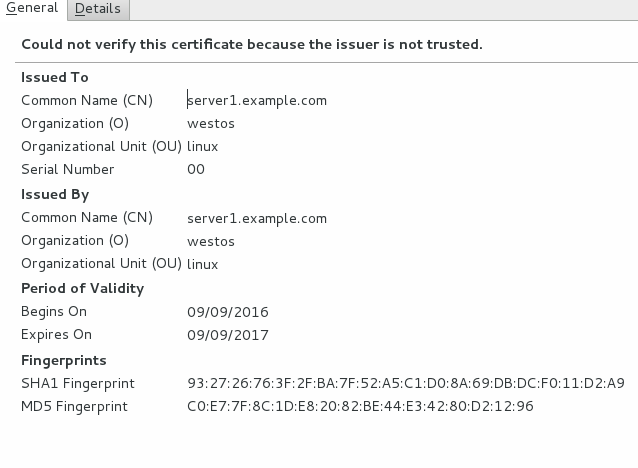
於 /etc/pki/tls/certs 執行 make cert.pem 並填入國家、城市、公司、CommonName 等資訊,再把 cert.pem 移入 conf 目錄並重載。
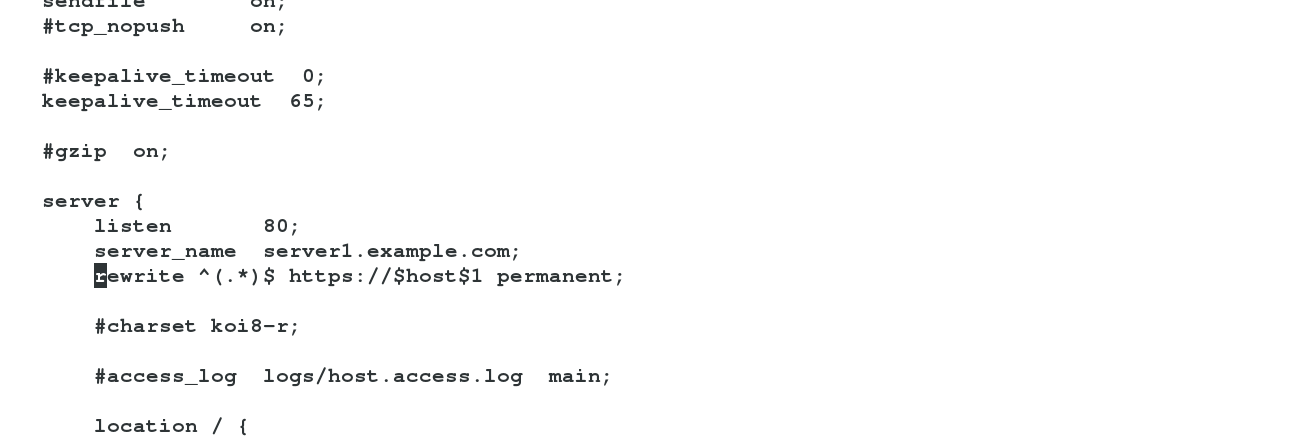
可加入網頁重寫,完成 HTTP 與 HTTPS 之間的轉換。

server { listen 80; server_name www.westos.org; location / { root /www2; index index.html; } }
server { listen 80; server_name www.linux.org; location / { root /www2; index index.html; } }
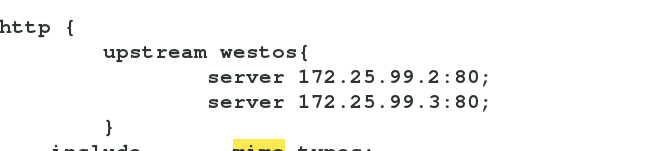
http {
 upstream westos{
 server 172.25.99.2:80;
 server 172.25.99.3:80;
 server 127.0.0.1:80 backup;
 }
 server {
 listen 80;
 server_name www.westos.org;
 location / { proxy_pass https://westos; }
 }
}

本文出自「scorpionyang」部落格 https://scorpionyang.blog.51cto.com/12044022/1851277