


在 Linux 中使用 Oracle 的 sqlplus 時,經常會遇到方向鍵變成亂碼、無法呼叫歷史命令的困擾。rlwrap 這款工具能為 sqlplus 加上 readline 功能,徹底解決這個問題。
rlwrap 官網:https://utopia.knoware.nl/~hlub/uck/rlwrap/
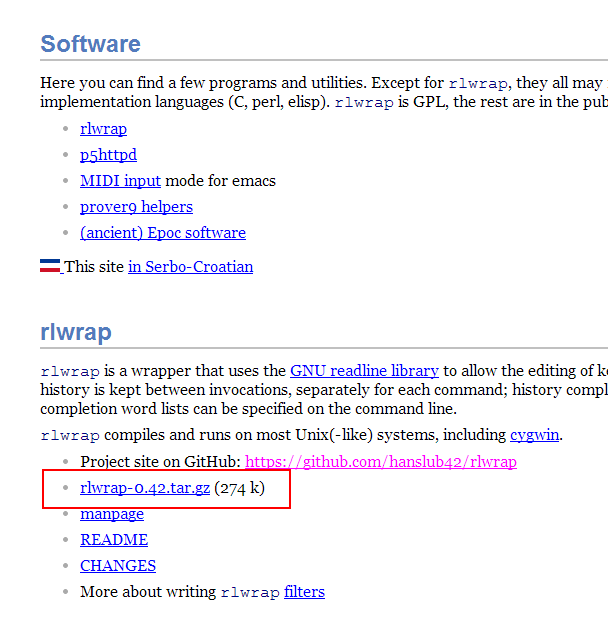
系統環境為 CentOS 6.8 X64:
[oracle@oracle11 ~]$ mkdir /tmp/mytest
[oracle@oracle11 ~]$ cd /tmp/mytest
[oracle@oracle11 mytest]$ wget https://utopia.knoware.nl/~hlub/uck/rlwrap/rlwrap-0.42.tar.gz
[oracle@oracle11 mytest]$ tar xf rlwrap-0.42.tar.gz
[oracle@oracle11 mytest]$ cd rlwrap-0.42
[oracle@oracle11 rlwrap-0.42]$ ./configure
若提示缺少 readline library,需切換到 root 安裝:
[root@oracle11 ~]# yum install -y readline-devel
再重新 configure、make 並安裝:
[oracle@oracle11 rlwrap-0.42]$ ./configure
[oracle@oracle11 rlwrap-0.42]$ make
[root@oracle11 rlwrap-0.42]# make install
為了讓每次使用 sqlplus 都自動套用 rlwrap,可將別名寫入 .bashrc:
echo "alias sqlplus='rlwrap sqlplus'" >> /home/oracle/.bashrc
source .bashrc
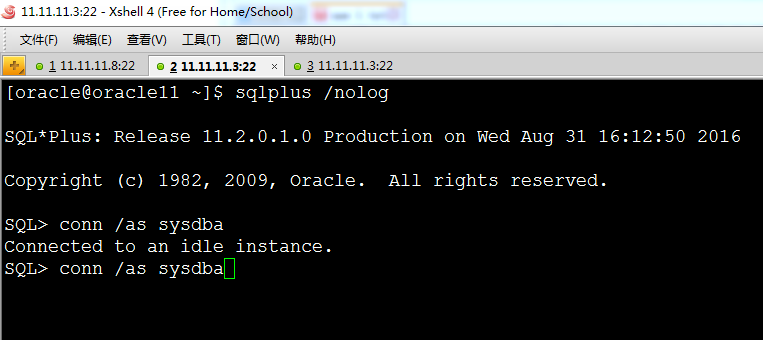
重新進入 sqlplus 後,上下左右鍵與歷史命令即可正常運作:
SQL> conn / as sysdba
Connected to an idle instance.
本文出自「魂斗羅」博客,謝絕轉載!