


CentOS 7.0 預設以 firewalld 作為防火牆,習慣 iptables 的人可以換回來,再順手把 Apache、MySQL 與 PHP 的環境搭好。
先停用 firewalld:
systemctl stop firewalld.service      # 停止服務
systemctl disable firewalld.service   # 禁止開機啟動
安裝 iptables 服務並編輯規則:
yum install iptables-services
vi /etc/sysconfig/iptables
*filter
:INPUT ACCEPT [0:0]
:FORWARD ACCEPT [0:0]
:OUTPUT ACCEPT [0:0]
-A INPUT -m state --state ESTABLISHED,RELATED -j ACCEPT
-A INPUT -p icmp -j ACCEPT
-A INPUT -i lo -j ACCEPT
-A INPUT -m state --state NEW -m tcp -p tcp --dport 22 -j ACCEPT
-A INPUT -m state --state NEW -m tcp -p tcp --dport 80 -j ACCEPT
-A INPUT -m state --state NEW -m tcp -p tcp --dport 3306 -j ACCEPT
-A INPUT -j REJECT --reject-with icmp-host-prohibited
-A FORWARD -j REJECT --reject-with icmp-host-prohibited
COMMIT
保存退出後重啟並設為開機啟動:
systemctl restart iptables.service
systemctl enable iptables.service
vi /etc/selinux/config
#SELINUX=enforcing
#SELINUXTYPE=targeted
SELINUX=disabled

setenforce 0      # 立即生效
yum install httpd
systemctl start httpd.service     # 啟動
systemctl enable httpd.service    # 開機啟動
systemctl restart httpd.service   # 重啟
systemctl stop httpd.service      # 停止
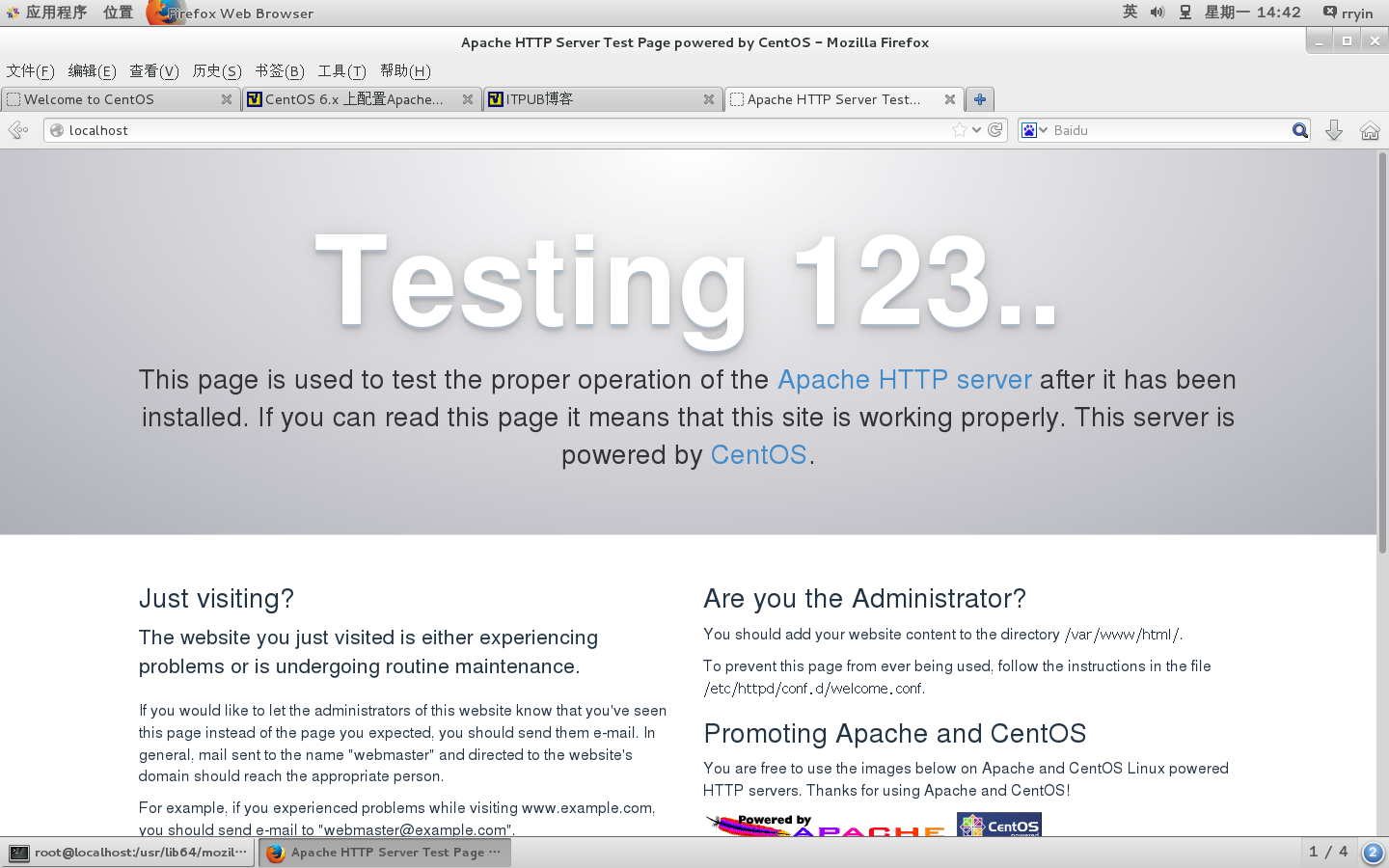
重啟後在瀏覽器輸入 localhost,看到預設頁面即代表安裝成功。
CentOS 7 預設把 MariaDB 視為 MySQL,網路上多數教程因此直接裝 MariaDB。MariaDB 是 MySQL 被 Oracle 收購後,原作者為避免閉源風險而另起的分支,相容性良好,用 yum 即可安裝。
若堅持安裝 MySQL,可先取得官方 release 套件:
rpm -ivh mysql-community-release-el6-5.noarch.rpm
yum install php
yum install php-mysql php-gd libjpeg* php-ldap php-odbc php-pear \
            php-xml php-xmlrpc php-mbstring php-bcmath php-mhash

systemctl restart mysqld.service
systemctl restart httpd.service
最後提醒:更換防火牆後,如果 80 埠仍然連不上,優先檢查 SELinux 是否已真正停用(getenforce 應為 Permissive 或 Disabled),以及 httpd 是否確實在監聽 80。