

 Ubuntu 10.04 LTS 系統安裝
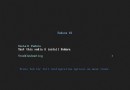
[1]Insert a disk for installation of Ubuntu 10.04 LTS and reboot your computer. The screen of selecting language. Choose it
 Linux學習日志(九)
文件查找: find命令grep : 文本搜索find :文本查找locate:(updatedb 手動生產) 1.依賴於數據庫 2.非實時查找,結果非精確 3.查找速度快 4.采用的模糊查找 find: 實時查找:速度慢 精確
linux基礎(17)--使用GPT分區、擴展swap分區--RHEL6.5
1. 卷標開機自動磁盤服務器磁盤損壞之後需要更換磁盤,更換磁盤可能導致磁盤位置混亂,導致數據混亂,因此需要給磁盤加標簽,防止磁盤混亂,此處使用: e2label給指定分區添加標簽:e2label /dev/sdb1 label1查看新加的標簽:e
 Ubuntu 11.04 系統安裝
[1]Insert a disk for installation of Ubuntu 11.04 and reboot your computer. Choose your language first and go next. [2]Push
 Ubuntu 12.04 系統安裝
[1]Insert a disk for installation of Ubuntu 12.04 and reboot your computer. Choose your language first and go next. [2]Push
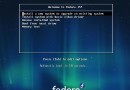 Fedora 15 系統安裝
[1]Download Fedora 15 ( released on 24 May, 2011 ) from the following site.? http://ftp.jaist.ac.jp/pub/Linux/Fedora/releas
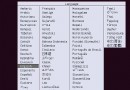 Ubuntu 13.04 系統安裝
[1]Insert a disk for installation of Ubuntu 13.04 and reboot your computer. Next, Choose your language and go next. [2]Push
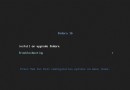 Fedora 16 系統安裝
[1]Download Fedora 16 ( released on 8 Nov, 2011 ) from the following site.? http://ftp.jaist.ac.jp/pub/Linux/Fedora/releas
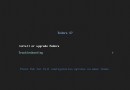 Fedora 17 系統安裝
[1]Download Fedora 17 ( released on 29 May, 2012 ) from the following site.? http://ftp.jaist.ac.jp/pub/Linux/Fedora/releas
 Ubuntu 14.04 系統安裝
[1]Insert a disk for installation of Ubuntu 14.04 and reboot your computer. Next, Choose your language and go next. [2]Push
 Fedora 18 系統安裝
[1]Download Fedora 18 ( released on 16 January, 2013 ) from the following site.? http://download.fedoraproject.org/pub/fedo
 Ubuntu 15.04 系統安裝
[1]Insert a disk for installation of Ubuntu and reboot your computer. Next, Choose your language and go next. [2]Push Enter
Linux學習日志(十)
網絡配置與管理底層共享信道爭用使用 mac地址(Media Access Control)CSMA/CD以太網 載波偵聽多路訪問/沖突回位Token Pring令牌環Hub集線器沖突域:所有在底層設備上能發生沖突的集合網橋:是用來分割沖突域的設備
 Fedora 19 系統安裝
[1]Download Fedora 19 ( released on 03 July, 2013 ) from the following site.? http://download.fedoraproject.org/pub/fedora/
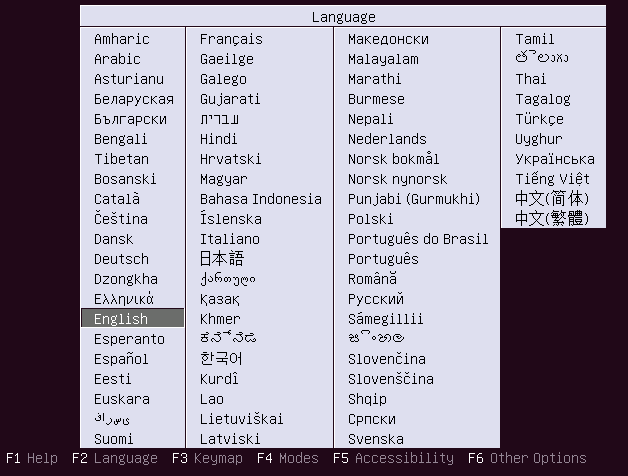 Ubuntu 16.04 系統安裝
[1]Insert a disk for installation of Ubuntu 16.04 and reboot your computer. Next, Choose your language and go next. [2]Push
 Fedora 20 系統安裝
[1]Download Fedora 20 ( released on 18 December, 2013 ) from the following site.? http://download.fedoraproject.org/pub/fed
linux基本命令(20)——find命令之exec
find是我們很常用的一個Linux命令,但是我們一般查找出來的並不僅僅是看看而已,還會有進一步的操作,這個時候exec的作用就顯現出來了。exec解釋:-exec 參數後面跟的是command命令,它的終止是以;為結束標志的,所以這句命令後面的
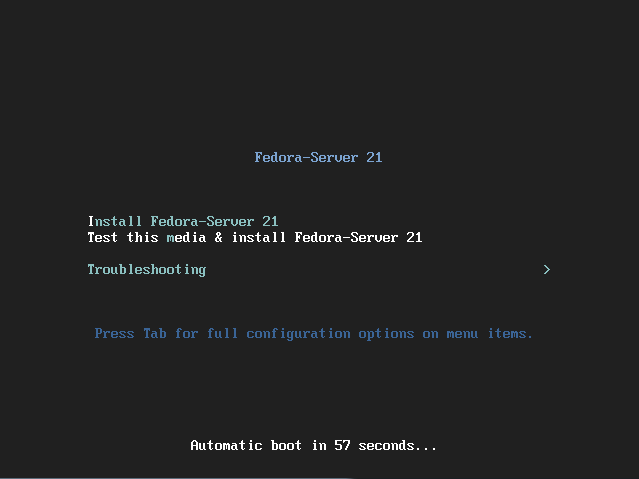 Fedora 21 系統安裝
[1]Download Fedora 21 ( released on 9 December, 2014 ) from the following site.? http://download.fedoraproject.org/pub/fedo
 Debian 6.0 系統安裝
[1]Insert a disk for installation of Debian GNU/Linux 6.0 and reboot your computer. The screen of selecting language. Choos